Church management software: how to choose and use it
Spreadsheets, paper lists and scattered apps make church administration harder than it needs to be. Here is how to choose software that serves your people.
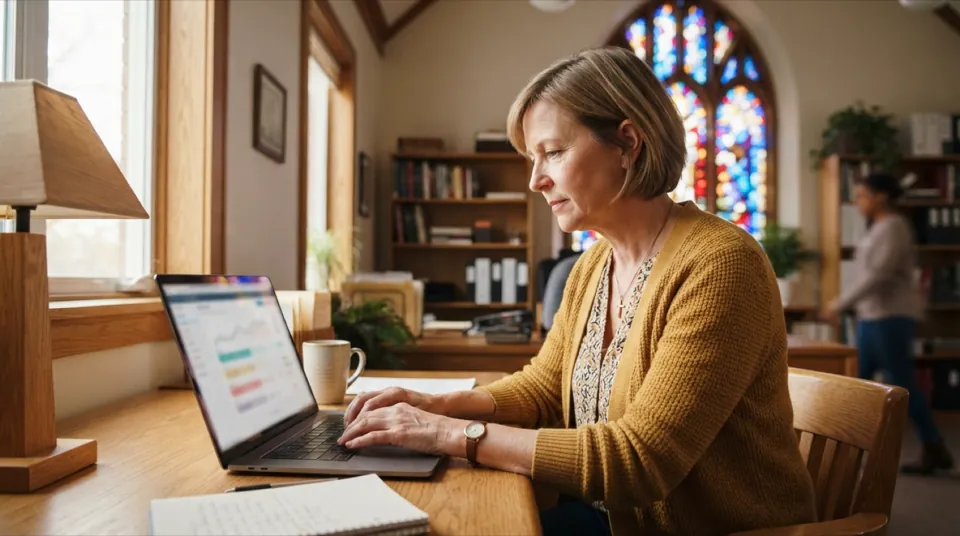
Church management software helps a congregation keep track of the people, groups, events, finances and property that make up church life — in one place instead of a dozen spreadsheets. Most churches start their administration with whatever is at hand: a spreadsheet for members, a paper list for the welcome team, a separate file for offerings and a group chat for the worship rota. It works for a while. Then the church grows, a second campus opens or the volunteer who kept the spreadsheet moves away, and information starts to slip through the cracks.
This guide explains what church management software does, which features matter most, how to handle data privacy, how to compare products and how to introduce a new system without overwhelming your team. It is written for pastors, church administrators, treasurers and volunteers who want less paperwork and more time for people.
What church management software does
Church management software — sometimes called a ChMS, church database or church administration system — is an application that stores and connects the information a church works with every week:
- people: members, families, visitors and their journey with the church;
- groups: ministries, small groups, teams and their leaders;
- events and attendance: services, courses, retreats and who took part;
- finances: tithes, offerings, expenses, budgets and donation tracking;
- assets: equipment, rooms, vehicles and other church property.
The value is not in each list on its own but in the connections between them. When a visitor becomes a regular attender, joins a small group and starts volunteering on the welcome team, everything is recorded once and visible to the people who need it. Nobody has to copy names from one file to another, and nobody has to wonder which version is current.
Church management software versus generic tools
Spreadsheets, shared drives and messaging apps are flexible and free, but they were not built for church administration. They have no concept of a family, a ministry or a pastoral note, they make access control difficult, and they rarely produce the church reporting a leadership team needs. Generic customer-relationship tools can be adapted, but they speak the language of sales pipelines rather than discipleship and care. Purpose-built church management software starts from the way churches actually work.
Signs your church is ready for a system
Many churches put off the decision because the current setup is "good enough". These signs suggest it is time to look for church management software:
- Nobody is sure which spreadsheet holds the latest member list.
- Pastoral follow-up depends on someone remembering to call.
- Building rotas takes hours of messages every week.
- Financial reports for the leadership or the members' meeting are assembled by hand.
- Several people share one login or one file, so you cannot control who sees what.
- A key volunteer is the only person who understands how everything fits together.
- First-time visitors fill in a card that ends up in a drawer.
If three or more of these sound familiar, the time saved by a proper system will quickly outweigh the effort of introducing it.
The features that matter most
Every product looks impressive in a demo. Focus on the features your church will use every week, not on the longest feature list.
| Area | What to look for |
|---|---|
| People and families | Profiles with family links, status (visitor, member, inactive), important dates |
| Groups and ministries | Leaders, members, meeting times, attendance per meeting |
| Volunteers | Skills, availability and rotas for worship, welcome, children's ministry |
| Events | Registration, capacity, attendance and follow-up of first-time visitors |
| Finances | Donation tracking, expenses, budget and clear reports for leaders |
| Assets | Inventory of equipment and property with responsible people |
| Permissions | Access rights per person and per area |
| Multiple sites | Several campuses in one account with separate or shared views |
Pastoral care comes first
Good church management software helps you care for people, not just count them. Look for views of birthdays, new members, people who have not attended for some time and confidential pastoral notes that only authorised leaders can read. A simple "who have we not seen for six weeks?" list can start more pastoral conversations than any newsletter.
Groups, ministries and small groups
Small groups and ministries are where people find belonging. The system should record each group's leader, members, meeting place and time, and let leaders log attendance in a few taps. Over time, you can see which groups are growing, which need support and which members are not yet connected to any group.
Volunteers and rotas
Rotas are one of the biggest time savers. When the system knows each volunteer's skills and availability, a Sunday rota for worship, sound, welcome or children's ministry can be prepared in minutes instead of a long chain of messages. It also helps you spot volunteers who serve too often and are at risk of burning out.
Events and attendance
From Sunday services to youth retreats and membership courses, events generate registrations, payments outside the system, attendance lists and follow-up. Recording attendance consistently gives you reliable trends — average attendance, new visitors, retention — instead of rough guesses.
Donation tracking and finances
Members trust leaders who are transparent. Choose software that records tithes and offerings, tracks expenses against a budget and produces reports the treasurer can explain at a members' meeting. Donation tracking should be accurate and restricted to the people who need to see it. If giving is a priority for you, you will find more articles on the topic on our blog.
Church reporting
Church reporting turns daily records into decisions. Useful reports include attendance trends per service and campus, growth of small groups, volunteer coverage, income and expenses per month, and budget versus actual. Ask every vendor to show you the reports you would present to your leadership team next month.
Data privacy and security
Churches handle sensitive information, so data privacy deserves careful attention. In many countries, data revealing religious beliefs belongs to a special category of personal data — under the GDPR in Europe, for example, it requires a legal basis and particular safeguards. Whatever your jurisdiction, a few principles apply:
- Collect only what you need and explain why you collect it.
- Limit access: a small-group leader does not need to see giving records.
- Use strong passwords and remove access when someone leaves a role.
- Keep data in one secure system instead of copies on private laptops and phones.
- Document consent for photos, communication preferences and children's information.
- Plan for deletion: decide how long you keep records of people who have left.
Questions to ask about security
- Is data encrypted in transit and at rest?
- Are backups automatic, and how quickly can data be restored?
- Can permissions be set per person and per area?
- Is there a record of who changed what?
- Is each church's data kept separate from other customers' data?
How to compare church management software
1. Start from your processes
Write down the five tasks that cost your team the most time today — for example welcoming visitors, building rotas or preparing the monthly financial report. Test every product against those tasks rather than against a long feature list.
2. Think about who will use it
A system used only by the church office can be more complex. A system used by dozens of volunteers needs to be simple, work in the browser and on the phone, and be available in the languages your members speak. Multilingual congregations should check the interface languages early.
3. Check how data moves in and out
Importing your existing spreadsheets should be straightforward, and you should be able to export your data at any time in a common format. Avoid systems that make leaving difficult.
4. Look at the total cost
Compare subscription prices, set-up costs, the number of users included and any add-ons. A cheaper plan that limits users can become expensive when every ministry leader needs access. Our article on how to evaluate business software offers a checklist that applies to churches too.
5. Try before you commit
Use a free trial with realistic data and involve the people who will use the system every day: the office, a ministry leader, a small-group leader and the treasurer. Their feedback is more valuable than any sales presentation.
A checklist for your decision
- The system covers people, groups, events, finances and assets.
- Permissions can be set per person and per area.
- Volunteers can use it on their phones without training.
- Reports answer the questions your leadership actually asks.
- Data can be imported and exported easily.
- The vendor explains clearly how data privacy and backups are handled.
- Several campuses can be managed in one account, if you need that.
- The total yearly cost fits your budget.
Introducing the software to your team
Even the best system fails if nobody uses it. A calm, step-by-step introduction helps:
- Start with one area, usually people and families, then add groups, rotas and finances.
- Appoint a champion who learns the system first and helps others.
- Clean your data before importing it — duplicates and outdated entries cause frustration.
- Show quick wins, such as a birthday list or a rota built in five minutes.
- Train in short sessions focused on each person's role.
- Review permissions after a few weeks, when roles become clearer.
A realistic timeline
For a church of a few hundred people, a typical introduction might look like this: week one, import and clean the people data; weeks two and three, set up ministries and small groups; week four, start rotas; month two, move donation tracking and finances into the system; month three, review reports with the leadership. Smaller churches can move faster.
Frequently asked questions
Is church management software only for large churches?
No. Small congregations often benefit the most, because they rely on a few volunteers whose time is precious and who cannot afford to redo work.
Can several campuses use one system?
Many products support multiple sites in one account, with leaders seeing their own campus and the central team seeing everything.
Do we need to install anything?
Modern systems run in the browser, so there is nothing to install and data is backed up centrally.
How do we protect sensitive data?
Use permissions per area, strong passwords and a vendor that stores data securely and separately per church. Review who has access at least once a year.
Can we move our existing spreadsheets into the system?
Usually yes. Clean the data first, agree on the fields you need and import in stages, starting with people and families.
Poimora: church management in one place
Poimora is the church management software developed by Balmer Systems. It brings members, families and visitors, ministries, small groups and volunteers, events and attendance, donations, finances and budget, and church assets together in one system — in the browser, with permissions per person and area, and several campuses in one account. You can try it free for 30 days, no credit card required.
If you also need a new church website, help with web hosting or a professional email address on your own domain, we can support you there as well. Questions about your situation? Get in touch.