Church member management: records, families and care
Knowing who belongs to your church is the starting point for good pastoral care. Here is how to keep member records and families organised without losing the personal touch.
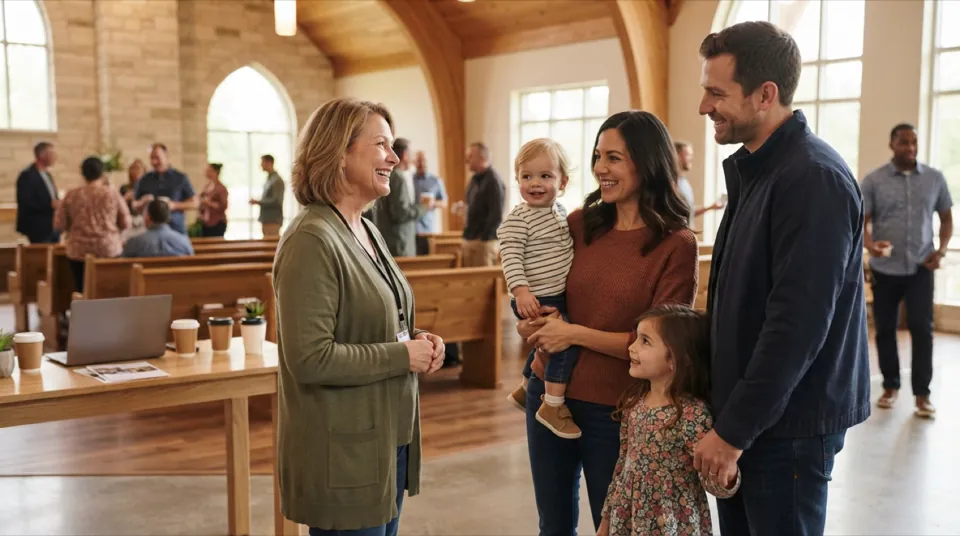
Church member management is the way a church keeps track of the people who belong to it: who they are, how to reach them, which family they belong to, where they serve and how their journey with the church is going. Done well, it is not bureaucracy but a tool for care. It helps a pastor notice that someone has been absent for weeks, helps the welcome team follow up with visitors and helps leaders see which ministries need more volunteers.
Many churches still manage members in a spreadsheet, a paper card file or the memory of one dedicated volunteer. That works until the church grows, the volunteer moves on or a data protection question comes up. This guide explains what good member records contain, how to manage families, what church membership software and church directory software do, how to protect personal data and how to introduce a new approach step by step.
Why church member management matters
A church is a community of people, and caring for people starts with knowing them. Structured church member management supports that in several ways:
- Pastoral care: leaders see who is new, who is ill, who has had a birthday and who has not been seen for a while.
- Belonging: visitors are followed up personally instead of slipping away unnoticed.
- Serving: ministries and small groups know who is involved and who might like to join.
- Communication: messages reach the right people, with current contact details.
- Administration: members' meetings, reports and statutory obligations are easier to prepare.
- Continuity: information does not disappear when a volunteer or staff member leaves.
The aim is not to collect as much data as possible. It is to record the information that genuinely helps you care for people — and to keep it accurate, secure and accessible only to those who need it.
What good member records contain
Member records are the foundation of church member management. Keep them focused. A useful record usually includes:
| Information | Purpose | Notes |
|---|---|---|
| Name and preferred name | Address people correctly | Include how they like to be called |
| Contact details | Phone, email, address | Check regularly, ideally once a year |
| Date of birth | Birthday greetings, age groups | Only if people agree to share it |
| Membership status | Visitor, regular attender, member | Record the date of each change |
| Family or household | Link related people | Children, spouses, other relatives |
| Groups and ministries | Small groups, teams, volunteering | Helps with rotas and follow-up |
| Pastoral notes | Care needs and conversations | Restricted access, minimal and respectful |
| Consent | What people agreed to | E.g. directory listing or photos |
Membership status and journey
Recording a person's status — first-time visitor, regular attender, member, former member — makes the journey visible. When dates are recorded, leaders can see how long someone has been attending and whether follow-up conversations happened at the right time.
Pastoral notes with care
Notes about personal situations are sensitive. Keep them brief, factual and kind, and limit access to the pastoral team. A good rule: write nothing that you would not be comfortable showing to the person it concerns.
Managing families and households
Families are central to church life, and church member management should reflect that. Linking people in a household lets you:
- send one letter per household instead of one per person;
- see children and parents together for children's ministry;
- note who is responsible for younger children and who may collect them;
- understand family situations for pastoral care, such as a new baby or a bereavement.
Families are not always simple. Blended families, adult children living at home, couples where only one partner attends and children who visit with grandparents all need a flexible structure. Choose a system where a person can belong to a household while keeping their own record, contact details and status.
Church membership software
Church membership software replaces spreadsheets and card files with a shared, secure database designed for church life. Instead of copies on several laptops, everybody works with the same current information — each person seeing only what their role allows.
What to look for
- People and families: members, families and visitors with the details that matter.
- Groups and ministries: small groups, teams and volunteers linked to the people in them.
- Events and attendance: services and events, with who took part.
- Permissions: access rights per person and area, so a small-group leader does not see financial or pastoral details.
- Data protection: secure storage that meets GDPR requirements where they apply.
- Ease of use: volunteers must be able to use it without long training.
- Browser access: nothing to install, usable on the devices your team already has.
Church membership software is often part of broader church management software, which also covers donations, finances and assets. Our guide to church management software explains how to compare complete systems.
Poimora for member management
Poimora brings members, families, ministries, events, finances and assets of a church into one system. Members, families and visitors are recorded with the details that matter, and birthdays, new members and people who have been absent for a while are visible at a glance. Ministries, small groups and volunteers can be organised in the same place, and access rights are set per person and area. Poimora runs in the browser, stores each church's data separately, is GDPR-compliant and supports churches with several campuses in one account.
Church directory software
Church directory software turns member records into a contact list that members can use to stay in touch with each other. A directory can be a printed booklet, a PDF or a protected online view.
Directory and privacy
A directory shares personal data with other members, so it needs care:
- Ask for consent before listing someone, and record what they agreed to — name only, phone, email, address or photo.
- Show less by default. Many people are happy to share a phone number but not a home address.
- Keep it within the church. Directories should be accessible only to members, never public.
- Update regularly and remove people who leave or withdraw consent.
- Mark printed copies as confidential and ask people to dispose of old ones.
The best approach is to keep one central member database and generate the directory from it, so that it always reflects current data and consent. Separate lists that are copied and edited by hand quickly become outdated and are a privacy risk.
Data privacy in church member management
Churches handle personal and sometimes sensitive data, including information that may reveal religious beliefs. In the European Union and in many other countries, data protection law places specific requirements on this. This article is not legal advice; please check the rules that apply to your church and country.
Practical principles that help:
- Collect only what you need for a clear purpose.
- Inform people about what you store and why.
- Record consent where it is required, for example for directories or photos.
- Limit access with roles and permissions.
- Use secure systems instead of spreadsheets sent by email.
- Delete or archive data you no longer need.
- Name a responsible person for data protection questions.
Following up visitors and absent members
Records only help when someone acts on them. Two moments deserve a simple, agreed routine.
New visitors
When someone visits for the first time, record their name and how they would like to be contacted — with their permission — on the same day. Agree who sends a short note of welcome and who invites them to a newcomers' lunch or a small group. A second and third visit are good moments to record the person as a regular attender and to ask whether they would like to learn more about membership.
People who have been absent
Absence often has a reason: illness, a new job, a family crisis or quiet disappointment. Attendance records make these situations visible early. Agree how many weeks of absence should prompt a friendly phone call and who makes it — usually a small-group leader or a member of the pastoral team who knows the person. Record that the contact happened, without unnecessary detail.
Checklist: getting church member management right
- Decide which information you really need for each person.
- Define membership statuses and what each means in your church.
- Link people to families and households.
- Agree who may see pastoral notes and financial data.
- Record consent for directory listings and photos.
- Move data from spreadsheets into one central system.
- Check contact details at least once a year.
- Make sure absent members and new visitors are followed up.
- Review access rights when volunteers or staff change roles.
A practical example
Picture a hypothetical church of around two hundred people that has kept members in three spreadsheets: one by the church office, one by the children's ministry and one by the welcome team. Addresses differ between files, nobody knows which is current, and a family that moved away is still receiving letters.
The leadership decides to introduce church membership software. First, the office defines what each record should contain and which statuses exist. The welcome team agrees to record first-time visitors on the same day. The three spreadsheets are merged, duplicates removed and families linked.
Access rights are set by role: the office sees everything except pastoral notes, the pastoral team sees care notes, and small-group leaders see the members of their own group. At the next members' meeting, people are asked which details they want in the church directory, and their choices are recorded.
Within a few months, the pastors receive a list of people who have not attended for several weeks and can call them personally. New visitors are welcomed back by name. Nobody is maintaining spreadsheets any more, and the church can answer data protection questions with confidence.
Introducing a new system step by step
- Agree on the purpose with leadership and staff.
- Clean your data before importing it.
- Start small with people and families, then add groups and events.
- Train key volunteers first, so they can help others.
- Communicate with the congregation about what changes and why.
- Review after three months and adjust fields and permissions.
For churches that also record giving, connecting donations to member records saves time at year end; see our article on church donation software.
Frequently asked questions
What is church member management?
It is the structured way a church records and cares for the people who belong to it: contact details, families, membership status, groups, ministries and pastoral follow-up.
Do small churches need church membership software?
Not always immediately, but even small churches benefit from one secure place instead of several spreadsheets, especially when volunteers change or data protection questions arise.
How do we handle families in member records?
Link each person to a household while keeping their own record. That allows letters per household and a clear overview of children and parents, while respecting each person's own details and consent.
Should our church directory be online?
It can be, if access is limited to members and each person has agreed to what is shown. Generate it from your central member database so it stays current.
Who should have access to member records?
Only the people who need them for their role. Use permissions so that group leaders, the office and the pastoral team each see the information relevant to their work.
Conclusion
Good church member management helps you know and care for your people: accurate member records, families linked together, consent respected and the right information available to the right people. Moving from scattered spreadsheets to church membership software is a practical step that gives leaders and volunteers more time for what matters.
Poimora brings members, families, groups, events, donations, finances and assets together in one place and can be tried free for 30 days, no credit card required. Contact us if you would like to see how it could work for your church.